Please read the following before downloading and installing the Keystone 7.2.847 update patch.
The Keystone 7.2.847 patch will update any prior version of Keystone 7.2. In other words, if you have version 7.2.xxx installed (where xxx is less than 847), then this download will install the latest version of Keystone on your computer. If you already have 7.2.847, you do not need to download this patch again.
Note: Each computer running Keystone 7.2 at your Affiliate will need to be updated with this patch.
How do I tell what version of Keystone I have?
The simplest way to see what version of Keystone is installed on a computer is to look at the ‘splash screen’ that appears when you launch Keystone. It will look similar to the following:
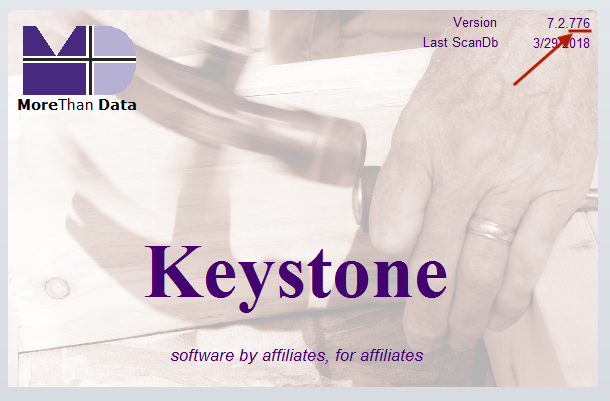
You may need to close windows that appear on top of the splash screen (such as MTD News) in order to see it.
The last number (on the far right) next to ‘Version’ tells you what version of Keystone 7.2 you have. If this number is less than 847, download this patch and install it.
Note: If the Version you see is 7.1.xxx, you will first need to download the update from version 7.1 to 7.2, install that, and then run the 7.2.847 patch in order to get the current version of Keystone running on your computer.
Downloads
Click on an item to download it. Choose to save it to your Windows Desktop. Note for Chrome users: If you get a security warning when downloading any of these files, you can safely ignore it. It is a common problem when downloading files like this in Chrome.
- Keystone 7.2.847 Patch (Downloads ZIP file)
- Patch Release Document for the 7.2.847 patch (PDF download)
- Keystone 7.1 to 7.2.756 Update (only download if you have 7.1.xxx installed)